
How to Check Criminal History in Santa Cruz County
Begin with the Santa Cruz Superior Court Odyssey Portal when the goal is to find filed felony or misdemeanor charges. A case number is best. A name can also work when entered in Last, First Middle Suffix order. Choose Criminal under Case Type, then narrow by file date or status. The docket can show a complaint, hearings, pleas, dismissals, judgment, sentence, probation, or warrant activity.
No court search answers every question. Current county custody belongs in the jail viewer. A sheriff report goes to Sheriff records, while a Santa Cruz, Watsonville, or Scotts Valley police report stays with that city department. A state prison record belongs with CDCR. Use this order:
- Search Odyssey for a filed Santa Cruz County criminal case.
- Confirm the person through case number, name, date range, court division, and status.
- Check the jail viewer or arresting agency when booking or incident facts are needed.
- Read the charge history and final disposition instead of relying on the first allegation.
- Request a court copy or use DOJ personal record review when an official self-check is needed.
Santa Cruz Records Span Five Systems
“Criminal record” can describe records with very different owners. The arresting agency writes the incident and arrest report. The jail creates a booking and custody record. The District Attorney decides whether to file charges, and the Superior Court then creates the court case. Fingerprints and later dispositions can flow to the California Department of Justice. A prison sentence or state parole status moves into CDCR systems.
| Question | First official channel | What it answers |
|---|---|---|
| Were charges filed? | Superior Court Odyssey | Case status, docket, hearings, disposition |
| Is someone in county custody? | County jail viewer | Current or recent booking and custody |
| What does the incident report say? | Arresting agency records unit | Releasable police or sheriff report |
| Is someone in state prison? | CDCR Inmate Locator | State custody information |
| What is on my California rap sheet? | DOJ fingerprint record review | Subject-only state criminal history |
That split explains most missing results. A record may exist, just not in the channel searched first.
Santa Cruz California Background Checks
The California Department of Justice record-review process lets a person obtain their own California criminal history to check it for accuracy and completeness. California residents submit fingerprints through a DOJ-certified Live Scan operator. People outside the state may use the fingerprint-card route described by DOJ. The response goes to the subject, not to a casual public searcher.
California has no general-public DOJ name portal for another person's full rap sheet. Authorized applicant agencies use separate statutory processes, and those processes are not public lookup tools. DOJ's Live Scan location search helps find certified operators by area. The court index, jail viewer, and police report channels remain separate and do not equal a DOJ repository check.
Search Santa Cruz Odyssey Smart Search
The local portal exposes unusually useful filters. Its primary field accepts a record number or party name. Search Type options include Case Number, Party Name, Citation Number, and Case Cross-Reference Number. Advanced filters include Criminal case type; Active, Closed, Dismissed, Probation, Warrant, Held to Answer, Deferred Entry of Judgment, Stayed, Reopened, and Destroyed statuses; plus file-date start and end fields.
The official Odyssey interface is captured below.
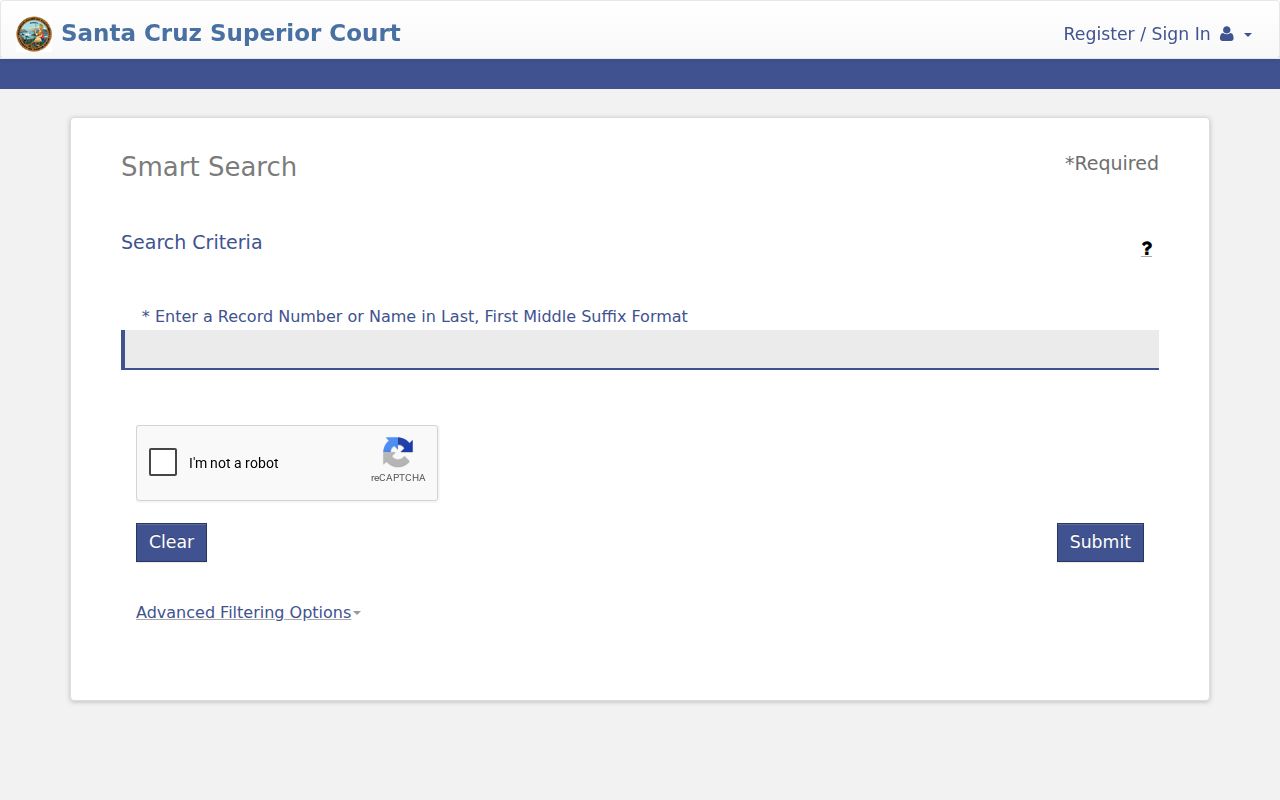
The image shows why a broad name search should be refined with case type, status, and date controls.
| Portal field | Best use | Local detail |
|---|---|---|
| Record Number or Name | Direct case or party search | Name format is Last, First Middle Suffix. |
| Case Type | Remove unrelated cases | Select Criminal. |
| Case Status | Find a current posture | Includes Warrant, Probation, Dismissed, and Destroyed. |
| File Date | Narrow a common name | Uses MM/DD/YYYY start and end. |
Santa Cruz Criminal Record Types
Each record captures one stage of local justice. Arrest and incident reports identify the event and the responding agency. Booking records describe jail intake and custody. Criminal court files follow filed charges through disposition. DOJ entries connect fingerprints to arrest cycles and reported outcomes. Warrants authorize arrest or search, while probation and parole records concern supervision.
- Arrest and booking: agency, report or booking number, date, alleged charges, custody, and release facts.
- Court case: filed counts, docket events, hearings, plea or verdict, disposition, and sentence.
- Rap sheet: fingerprint-linked state history released by DOJ only through authorized routes.
- Warrant: issuing court, case, reason, bail terms, and service agency where public.
- Registry and supervision: limited public data from Megan's Law, Probation, or CDCR channels.
A police report can be more restricted than a public docket because it may contain victim details, witness accounts, medical facts, or active investigative material.
Choose the Right Santa Cruz NextRequest
Santa Cruz County has two public-records portals that look similar but serve different offices. Sheriff-created reports, jail records not visible online, and sheriff warrant material belong through the Sheriff's public-records page and its Sheriff NextRequest form. The form includes “Report Number” and “Relationship to Investigation.” Those fields help identify the event and can bear on what may lawfully be released.
The countywide NextRequest form serves county departments outside that sheriff-specific route. Neither form turns a confidential record into a public one. Active investigations, juvenile material, victim identities, medical information, sealed material, and other protected details may be withheld or redacted.
The Sheriff's records instructions appear in the next image.
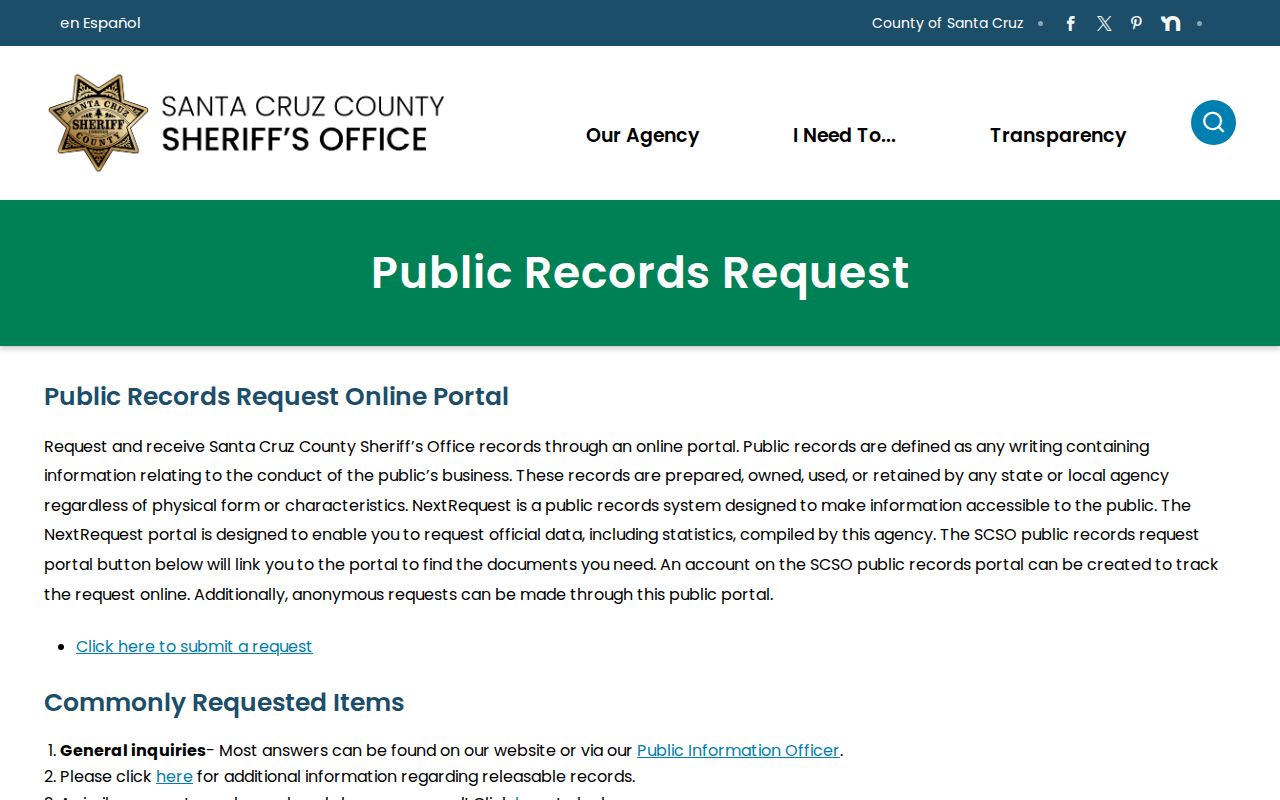
That official route directs a requester to the proper law-enforcement intake channel.
The linked Sheriff NextRequest form is shown here.
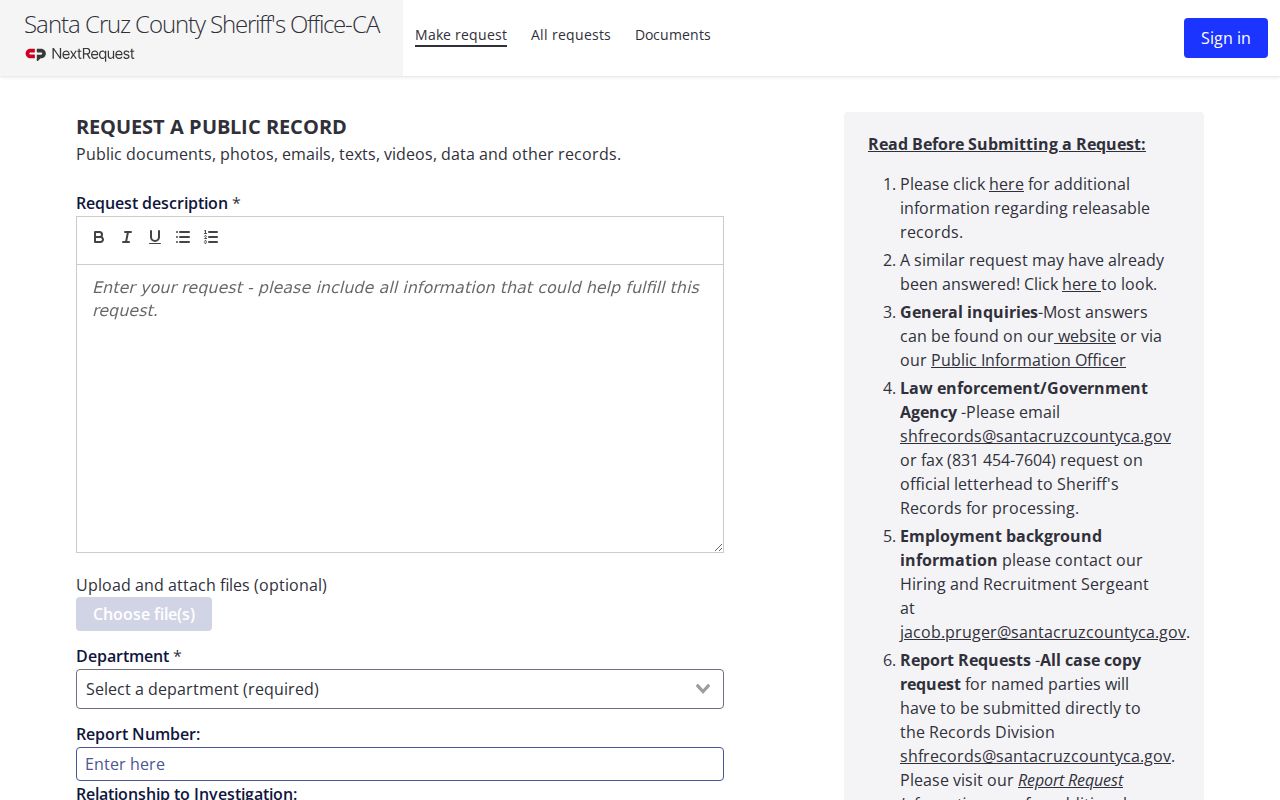
Its report-number and relationship fields distinguish it from the broader county portal.
What a Santa Cruz County Criminal Record Shows
The fields depend on the custodian. A court record centers on the case. A jail record centers on custody. A DOJ history centers on fingerprint identity. Match names cautiously, and never treat one common-name result as conclusive without a case number, date, agency, or other matching detail.
| Name & Identifiers | Names, aliases, case number, booking number, state or FBI identifiers where lawfully shown. |
|---|---|
| Arrest / Booking Data | Arresting agency, date, booking time, custody state, bail, and release information. |
| Charges & Statutes | Allegations at arrest or counts later filed in court; the two can differ. |
| Disposition | Dismissal, plea, acquittal, verdict, or other outcome for each count. |
| Sentence | Custody, probation, fines, restitution, and court conditions when public. |
| Custody / Supervision | County jail, state prison, probation, or parole status through the proper office. |
“Disposition” means the outcome. “Docket” means the dated list of case events. “Held to Answer” means a felony matter proceeds beyond the preliminary stage. These terms describe court activity, not guilt by themselves.
Santa Cruz County Custody Records
The Santa Cruz County jail viewer is for current or recent local custody. It may show a custody name, booking number, booking date, arresting agency, charges held at booking, bail, facility, and release information if those fields are public. It is not a complete history, and someone may be absent because they were cited and released, transferred, released quickly, or never booked in Santa Cruz County.
The CDCR Inmate Locator is for California state prison custody and related state information. It does not search the Santa Cruz Main Jail. Court records may show a prison sentence, but the live custody source is CDCR after transfer. The Sheriff's official site, shown below, remains the starting point for county corrections and records links.
The Santa Cruz County Sheriff's Office homepage provides the official county route.
The page connects local readers with jail, warrant, report, and corrections resources rather than state-prison data.
Santa Cruz Criminal Record Access Laws
California law separates public agency records, court records, central criminal-history data, and registry data. The California Public Records Act creates a right to inspect agency records subject to exemptions. Court remote access follows judicial rules. DOJ dissemination is narrower than either, which is why the public cannot run another person's statewide rap sheet by name.
Key laws:
Government Code Division 10 sets California Public Records Act access and exemptions.
Penal Code section 11105 limits criminal offender record dissemination.
Rule of Court 2.503 controls remote trial-court access.
Penal Code section 851.91 provides eligible arrest sealing.
Penal Code section 1203.4 provides eligible conviction dismissal relief.
Public access never guarantees an unredacted copy. The record holder applies the rule that governs that record.
Santa Cruz Warrant Record Checks
The Sheriff's arrest warrant search is an official county route, but it is not the only place a warrant may appear. Odyssey includes Warrant as a case-status value. A city municipal matter may require contact with that municipal court, while parole or federal warrants belong to other systems.
The two Santa Cruz County channels answer different parts of the question. The Sheriff route can identify warrant information handled through county law enforcement. The Superior Court portal ties a Warrant status to a filed case and may supply the case number, division, charge history, and other docket context. Search both before concluding that a warrant is current or that it belongs to the person whose name was entered. A shared name alone is not enough. Match the issuing court, case number, date, and other public identifiers.
A bench warrant may follow a missed court date, while an arrest warrant can arise from a judge's order in a criminal matter. Probation, parole, municipal, out-of-county, state, and federal warrants can follow other routes. The county portal cannot settle every one of those categories. When Odyssey shows Warrant, open the matching case and read the dated entries around the status. When the Sheriff search supplies a record, compare its court and case references with the docket rather than treating the two listings as separate events.
If a warrant appears, confirm the issuing court, case number, warrant type, and handling agency. Contact the court or a lawyer about calendar or surrender options. Do not assume a law-enforcement records counter can clear a judicial warrant. Many warrants require court action, and some require booking before release. Do not go to an office expecting staff to erase the order as an administrative fix.
After the matter is addressed, recheck the Superior Court docket because an online status can lag behind a hearing or surrender. If the Sheriff page and court record disagree, ask the issuing court or handling agency which entry controls and what proof of resolution is available. Keep the case number and any minute order. Those identifiers make later follow-up far more precise than another broad name search.
Santa Cruz Sealed Criminal Records
California uses several distinct forms of record relief. Penal Code section 1203.4 offers dismissal relief for eligible convictions after required conditions. Penal Code section 851.91 covers eligible arrests that did not lead to conviction. Clean Slate provisions can grant automatic relief to qualifying records. None should be described as a promise that every government trace is erased.
Start by finding the Santa Cruz County case number and status. Then use the court's record-clearance materials or the county Public Defender's record-clearance service to identify the correct route. Juvenile records, victim information, sealed material, and some sensitive documents are restricted regardless of ordinary public access rules.
The Superior Court records information page supplies copy and access guidance.
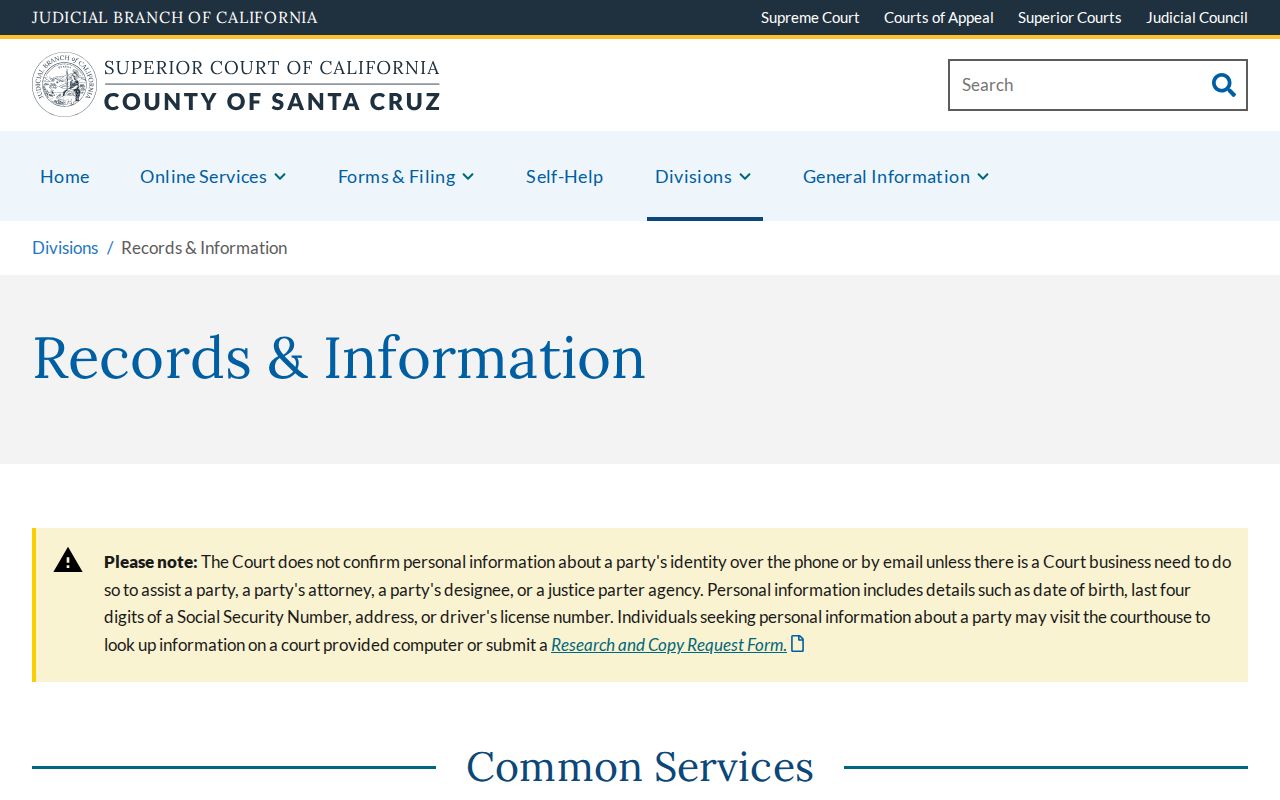
That page is the practical link between an online index entry and the underlying court record.
Santa Cruz Superior Court Holds Filed Cases
The Superior Court criminal division hears county felony and misdemeanor matters. It records arraignments, motions, preliminary hearings, pleas, trials, dismissals, judgments, sentences, probation terms, and warrant activity. A city police report does not become a court exhibit automatically, and the court clerk is not the keeper of the arresting agency's full investigative file.
The Superior Court homepage is the official entry to local court services.
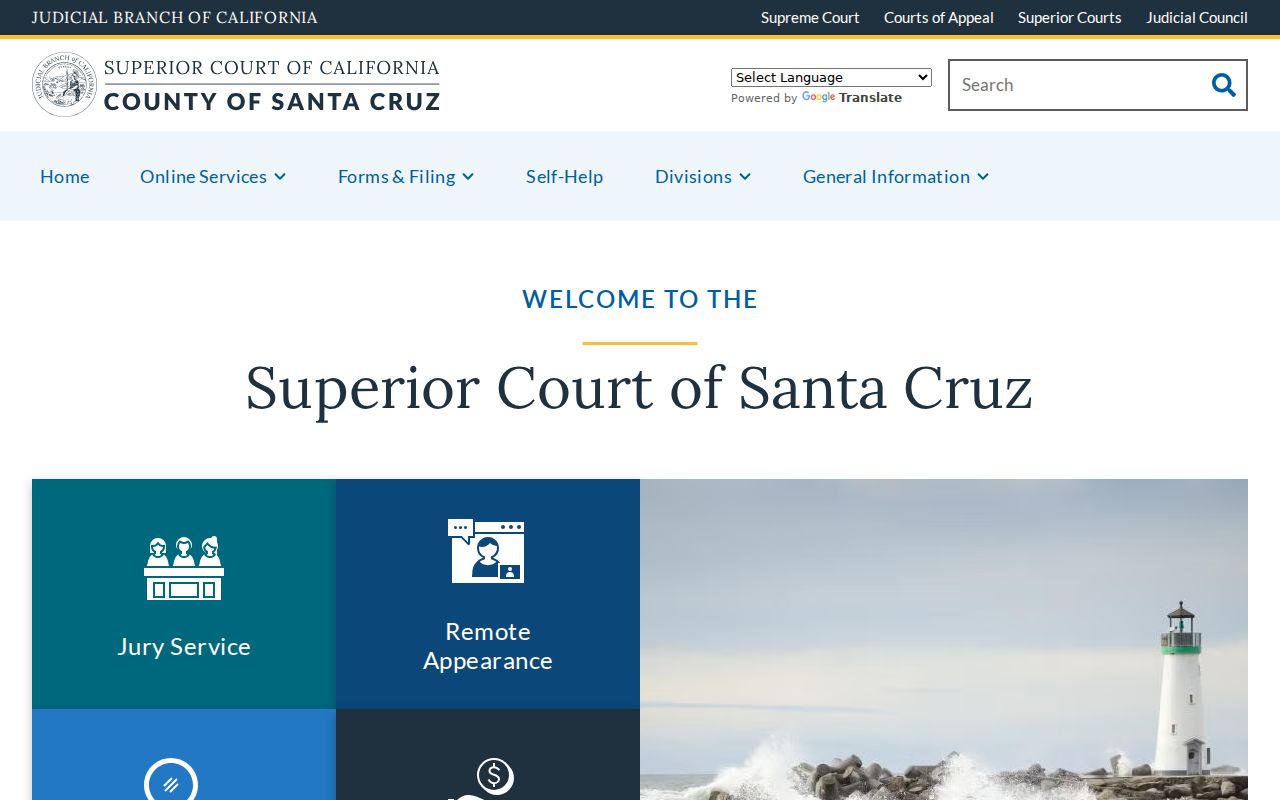
The court's own navigation should be used for current divisions, locations, and access rules.
The criminal division page focuses on the county's filed criminal matters.
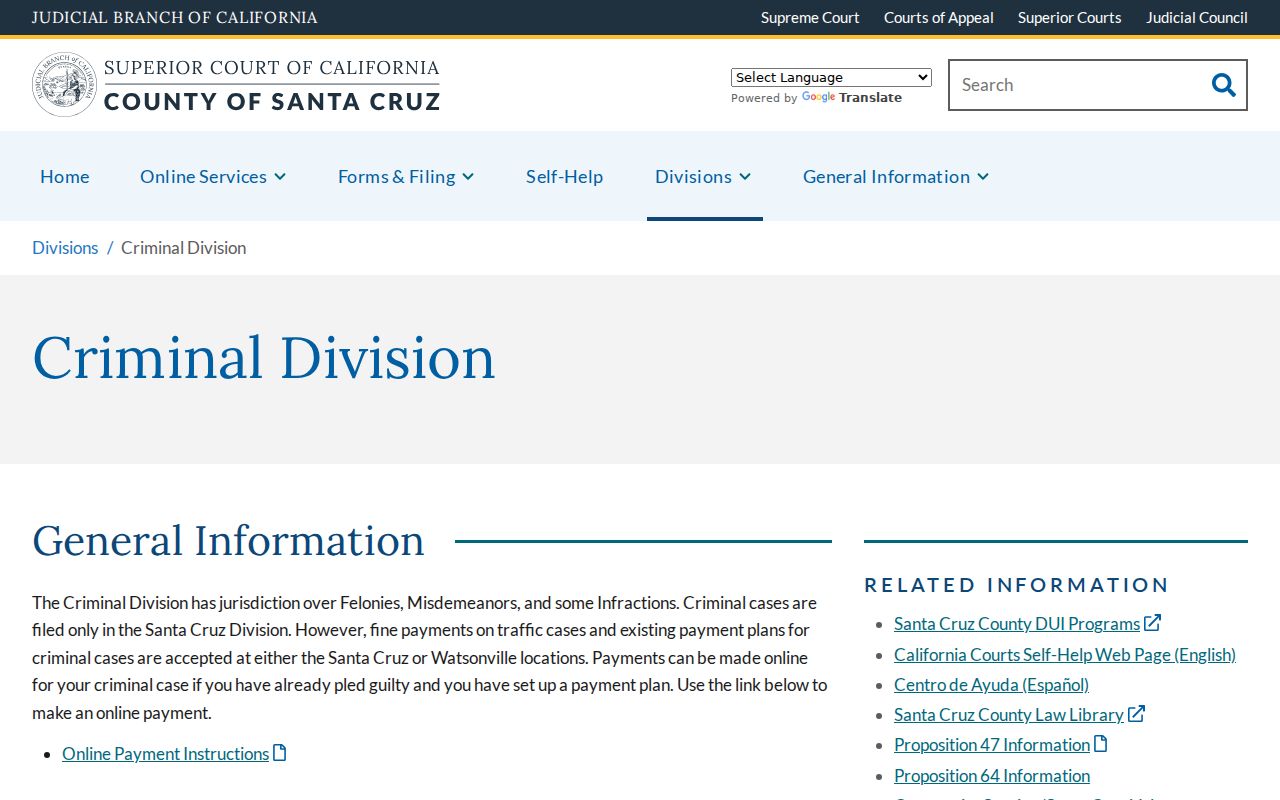
Its role begins after charges are filed, which keeps a court-case search distinct from an arrest lookup.
Criminal Records by City in Santa Cruz County
Agency identity matters across the county. Santa Cruz Police, Watsonville Police, and Scotts Valley Police keep their own incident and arrest reports. A person booked after any of those arrests may appear in the county jail system, while filed charges move to Superior Court Odyssey. Municipal court pages address city matters and do not replace the county felony and misdemeanor index.
Santa Cruz Criminal History
Start with Santa Cruz Police for city reports, then use the county jail and Superior Court channels as needed.
Watsonville Criminal History
Watsonville Police holds city reports; county booking and filed cases live in separate systems.
Scotts Valley Criminal History
Scotts Valley Police records, county jail data, and Superior Court dockets answer different questions.
Santa Cruz Arrest-to-Court Records
Santa Cruz County includes city, campus, highway, state-park, beach, mountain, and unincorporated jurisdictions. An incident near Santa Cruz may be handled by city police, UCSC Police, California State Parks, CHP, or the Sheriff. The badge on the report determines the report custodian. If booking follows, the jail creates a second record. The District Attorney then decides whether to file a third record in Superior Court.
Record flow: Incident › Agency Report › Booking if applicable › Prosecutor Review › Court Filing › Disposition › DOJ Update
When a result seems missing, retrace that flow. Ask which agency responded, whether booking occurred, whether charges were filed, and whether relief or confidentiality changed public access.